Bilingua Tutor app iconBilingua Tutor

An AI language tutor that explains why, not just what

Bilingua Tutor pairs a hand-written grammar map with Lucy, an AI tutor who corrects one thing at a time. It runs on your phone or with the AI provider you choose. No account, no ads.

Join the closed test

Coming to Google Play. Help test the first release and keep the unlock free.

  • 343 grammar rules
  • Dutch, German, Finnish, Hungarian, English
  • On-device AI
  • No account
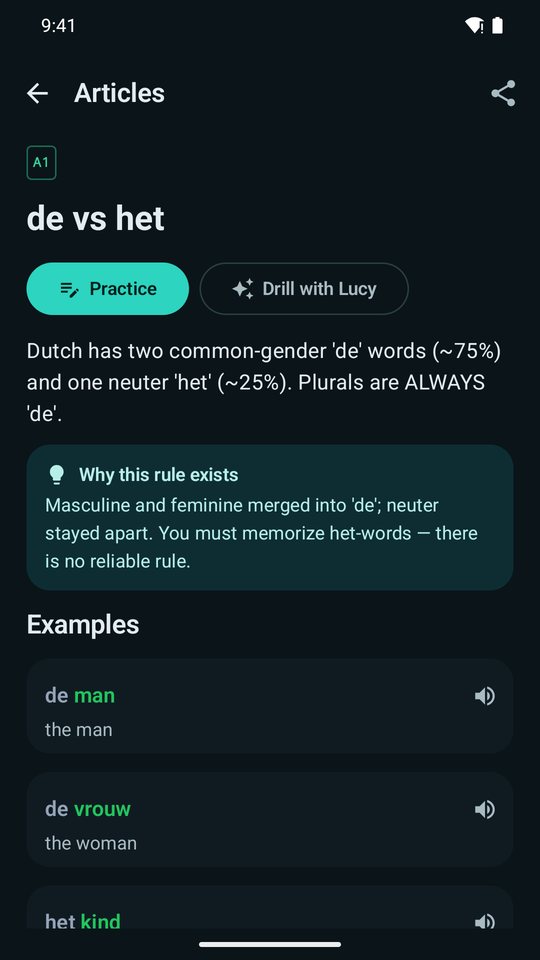
A grammar rule page: why Dutch has de and het, with colour-coded examples

What it does

A tutor for people who want to understand the language, not just tap through it.

A grammar map that explains itself

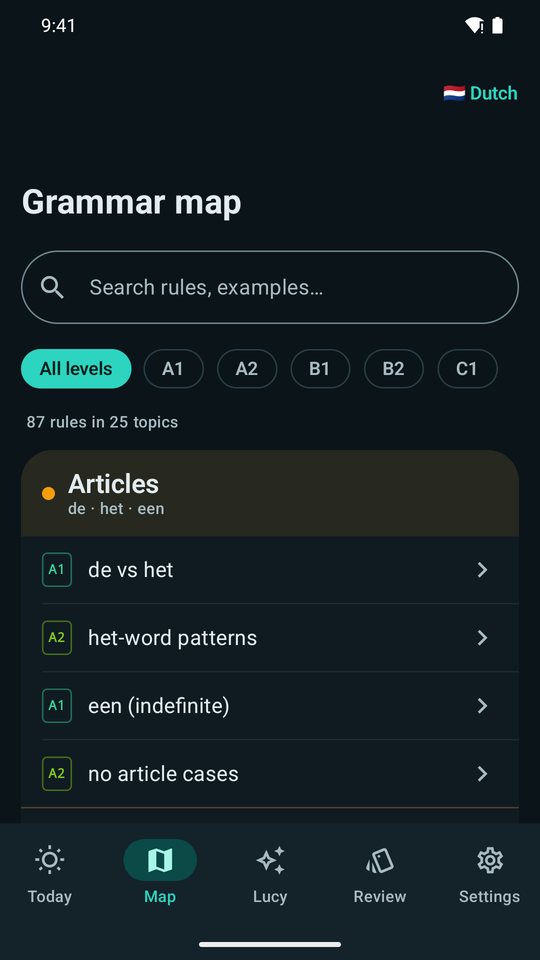
343 hand-written rules for Dutch, German, Finnish, Hungarian and English, from A1 to C1. Each rule comes with the reason it exists, example sentences colour-coded by word role and read aloud on tap, and its exceptions. It works offline and needs no AI.

Sentence Lab

Write or say a sentence and get a verdict, the corrected version, every word coloured by its role, and the rules you applied or broke. Tap a rule for the full explanation or a drill.

Lucy, a tutor who talks back

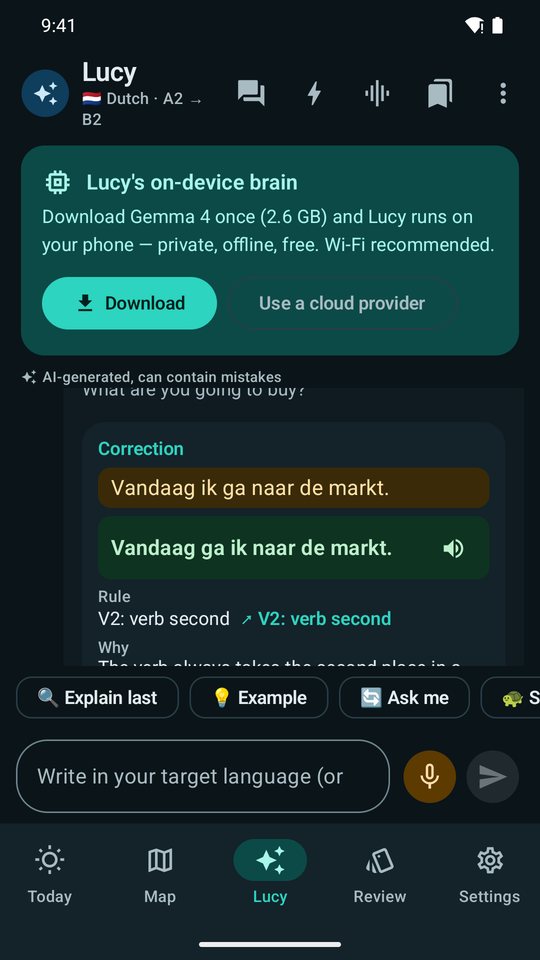
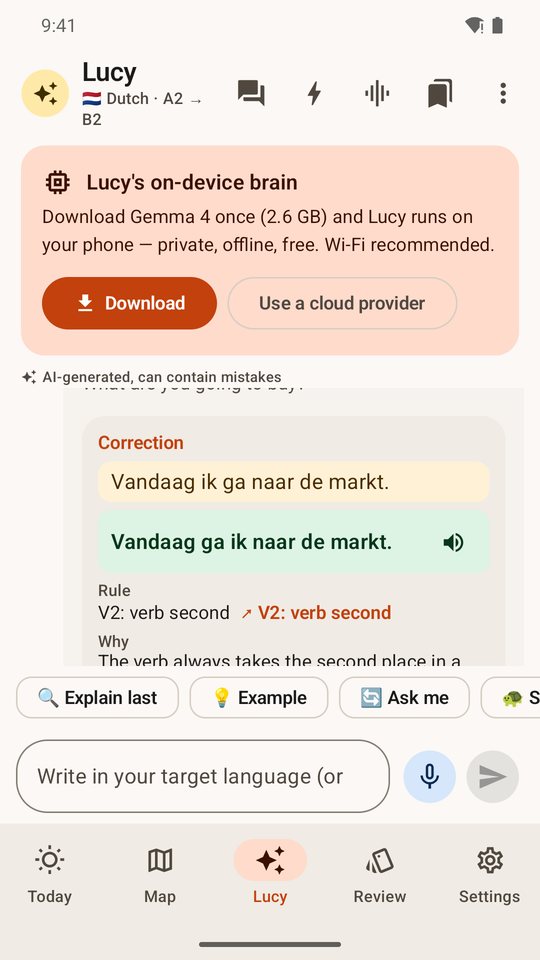
Chat in the language you are learning, at your level, with a translation under every line. Lucy corrects one mistake per turn, with the rule and the reason, and offers sixteen one-tap actions such as simpler, harder, conjugate, roleplay and fill the gaps. She is an AI and can be wrong.

Reviews that build themselves

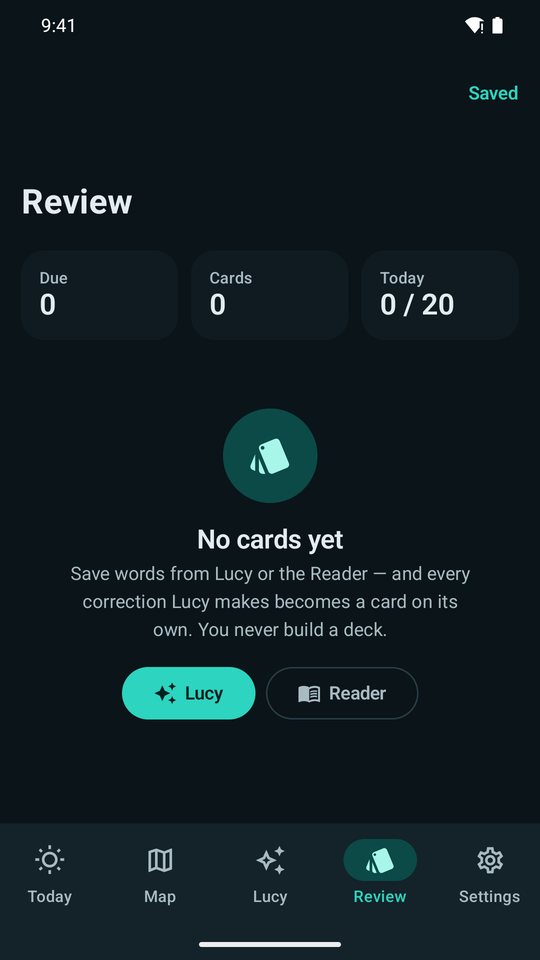
Saved words, sentences and Lucy's corrections become flashcards on their own, scheduled with spaced repetition and a daily reminder. Prefer AnkiDroid? Send the cards there instead.

Read what you want to read

Share an article from your browser or paste text, then read it sentence by sentence with translations and word roles, and send any sentence to the Lab or to Lucy.

Your AI, your choice

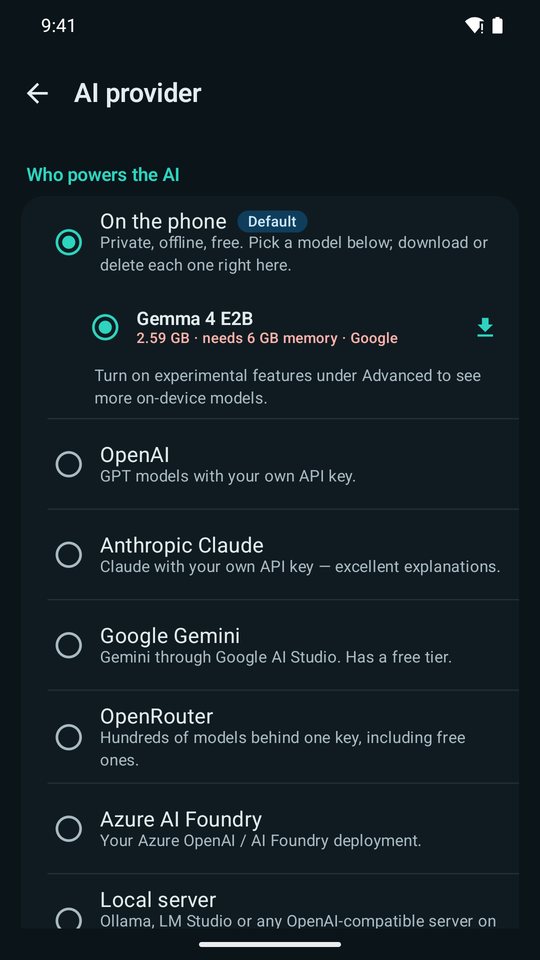
Run Gemma on your phone, or connect OpenAI, Anthropic, Google Gemini, OpenRouter, Azure or your own Ollama or LM Studio server with your own key. Keys are encrypted with the Android Keystore.

See it in use

Screenshots from the app on an Android phone.

The grammar map with Dutch rules grouped by topic and level
The grammar map
A rule page with the reason the rule exists and colour-coded examples
Why the rule exists
Lucy correcting a Dutch sentence and linking the grammar rule
One correction at a time
A flashcard created from a correction
Reviews that build themselves
The AI provider screen with the on-device model selected
Your AI, your choice
The same app in the light Daylight theme
Light and dark themes

Good to know

Private by design, with honest limits

No account and no server run by the developer. With the on-device model your text stays on your phone. If you pick a cloud provider, your text or voice goes to that provider with your own key, and the app tells you so first. Details are in the privacy policy.

Fair pricing

The grammar map and your reviews are free for good. The AI features are free for 14 days, then a single one-time unlock. No subscription. Cloud AI providers you connect bill you directly for usage.

Questions and answers

Short answers about price, privacy and what the app can do.

Is Bilingua Tutor free?

It is free to download. The grammar map and your reviews stay free with no time limit. The AI features (Lucy, the Sentence Lab, the Reader's AI help and voice mode) are free for 14 days from first launch, then you unlock them once with a single payment through Google Play. There is no subscription. The price is shown in Google Play for your country. If you connect a cloud AI provider with your own key, that provider bills you for what you use; the on-device model costs nothing to run.

Do I need an account?

No. There is nothing to sign up for, and the developer runs no server that receives your words, chats, voice, progress or API keys.

Where does my text and voice go?

With the on-device model, nowhere: it stays on your phone. If you choose a cloud provider (OpenAI, Anthropic, Google Gemini, OpenRouter, Azure or your own Ollama or LM Studio server), what you write goes straight from your phone to that provider, using your own key, under that provider's terms. Voice mode can use your phone's speech recognition, or a realtime voice provider you configure; in that case microphone audio goes to that provider, and the app asks you to confirm before it is used the first time. Android's own backup can include app data if you have it switched on.

Which languages does it cover?

The grammar map has 343 hand-written rules for Dutch, German, Finnish, Hungarian and English. Lucy and the Sentence Lab work in 18 languages, rules are explained in 13 languages, and the app itself comes in 14 languages.

Is Lucy a real teacher?

No. Lucy is an AI model and can be wrong. Her answers are labelled as AI-generated, every correction points at a rule you can read yourself, and you can report an answer from inside the app.

What do I need for the on-device model?

A recent arm64 phone with about 6 GB of RAM and Wi-Fi for a one-time download of about 2.6 GB. It is slower and less accurate than the large cloud models. The grammar map and reviews work without it.

Does it show ads or track me?

No ads and no account. The developer adds no analytics or tracking software. Libraries from Google that handle purchases can send Google their own technical diagnostics; the privacy policy names them. This website counts page views with a cookie-free script.

Is there an iPhone version?

Not yet. Bilingua Tutor is an Android app.

How is it different from Bilingua Reader?

Bilingua Reader is a separate app from the same developer for reading EPUB and PDF books with a translation under each sentence. Bilingua Tutor is for studying grammar and practising with an AI tutor.
Help test the first release

Bilingua Tutor is heading to Google Play. Google asks new apps to run a closed test first, so testers are very welcome.